Here above are logos specifically for this blog, Tuned In, made by me using a program called Method Draw. It is a bit more of a simple program, compared to other ones I have seen, but it worked well for this assignment. My first image is of a heart and headphones; the whole meaning to my blog is to offer information on what effect music can have on people, physically and mentally. Thus, the heart represents how music can emotionally effect us, and the music is represented through the headphones.
As for the other logo, it is a little more verbal, and a little more to decipher. Between two mirrored Alto clef symbols (one of the clefs used to symbolize for notes and key) is the initials of my blog title, Tuned In. Again, this is to be more direct with the logo, but the initials along with the intricate design of the clef, it seems more elegant and more attractive. I like this one better than the other, but the emotional meaning of what my blog represents is not truly displayed in this logo.
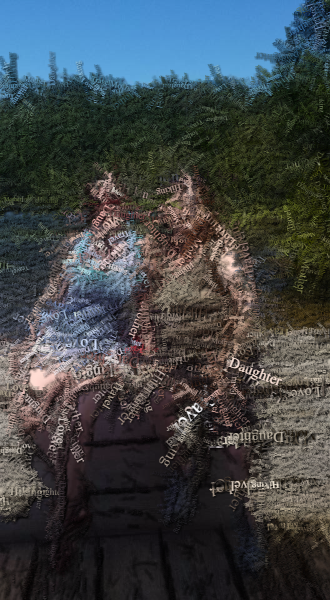
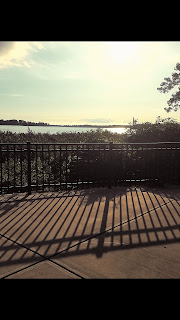
The three top photos are my original pictures taken, and the three lower photos are edited through the program Textorizer. The first photo is of me and my mother when we had gone up north for the weekend to go exploring local attractions, and it was an amazing time. This photo I altered in Textorizer 1, using many words overlapping each other but still conveying a message. I found this to be the most difficult out of the three edits, because I had to get it just right to read some of the words, but see what the image is. The faces are a little hard to see, but the art of it is not to be completely perfect like the original. The second image is the star of my photo inspiration-- my dog Zeus. This photo is an already black and white representation of him sitting and looking over the lake, where we live. The edited image is the Excoffizer version of this, and it is a good chose, because it does make the viewer feel as if their eyes are "vibrating" while looking at it, especially up close. Lastly, my third photo is also of Zeus, but a up-close portrait type. I chose to edit this in Textorizer 2, overlapping the photo with words and sayings describing the photo. In this case, I chose to use a saying to describe the great things about dogs and their love and loyalty. Overall, I really liked using this program, but it was still difficult for me to find the best image to use to be seen and understood by the viewer. I hope you enjoy!
This is a photo of me transformed in the Tagxedo application, which use words as the figure or shape you choose. I always liked the portraits used with their words describing them or what they are representing. So, I decided I wanted to choose words that I would like to describe myself or something that I would like to be. However, I found this program to be quite frustrating to use when choosing a picture as well as editing it enough to be fully recognizable when the words just fill the shape. Also, I wish there had been more options to use to possibly make it more personalized for every picture. Never the less, I am quite proud of this image, for I think it was executed successfully. I hope you enjoy!
The above pictures are edited photos of the originals, also posted. In attempting to create an ASCII, or American Standard Code for Information Interchange, I used two different programs. The first picture depicted is of myself, using TEXT-IMAGE.com, one that is more in-depth in features. The second image is of a praying mantis I found hanging around my house. I used the application GlassGiant.com to transform it into an ASCII image, and this one had less features to change on it. I liked using TEXT-IMAGE.com much better, because I feel I had more control over what I was creating, and I could pick and choose which options I find better use for the image. GlassGiant.com was not bad, but the most I could change in it was the maximum width and white on black or black on white text. I also like the other images I made on TEXT-IMAGE, changing the original photos into HTML and Matrix forms, which was another plus for me. I like the idea of using a typewriter to make art, and having these programs can really inspire others with the creativity and limitless ideas!
For this art program, Flame, I wanted to use the combination of colors instead of drawing actual pictures to represent emotions. Instead, I looked into colors and their represented feelings and emotions to create images that may relate to how someone is feeling. In some studies, people who struggle with mental illnesses or emotional distresses. In my one image, I wanted to illustrate depression, and the many forms it can take. I used dark blue in the background to show the depressive aspects that may not always be present, but still lingers underneath other emotions currently being expressed. Then I drew wispy colors of happier colors, such as yellow, pink, and green, to display the varying, fast changing emotions that may be a "high" to the individuals, but still have that constant "low". As for the other image, it is a little less deep, and portrays happiness, and elation. This is more hectic, with a bright green in the background for vibrancy in attitudes, with splashes of yellow, light blue, and pinks. These colors together can suggest energy, faith, love, and fertility or freshness, etc. I think that if some people like to express their feelings through colors, then even this can be helpful to them, and it's also an entertaining program!
Hey everyone!
So posted above are my images I created using a program called Scribbler Too, which was actually quite fun to use. The basis of both pictures is the concept of medicine, and the caduceus was actually an image I made based on a previous image. This was also my first picture I made, and it is more exaggerated and colorful than the original idea, but I wanted to make it interesting and different. The program let me choose many different shades of colors, which tugged at my creativity. With the other picture of a heart, I was really interested in this one due to the many shades and shading I did with it, to make the perception of volume. It was a bit difficult to maintain control of the brush and colors, but I think it turned out pretty well. Generative art really opens your mind up to anything and everything, and once you find something that you really like and end up creating something your really like, it makes you proud of the work done!
Thursday, October 19, 2017
Hello all- here is my production of my song and video mashup! So first off, my song has a variety of melodies and feels to it, and i wanted to add some videos to accompany, if not emphasize, the music. I think the more gentle melodies can be accurately portrayed by nature or more natural environments. The harder, more exciting melodies in my song were represented by wild city life, destruction, and industrial makings. This song, in itself, is a conflict between things natural, and things man-made. I used my entire song, and only a few times did I edit it inside the movie maker, which was to reduce the volume in one section (with the clouds), and I used more fade ins and fade outs when transitioning into other depictions. When editing my videos, which I did quite a bit, I added transitions between videos, and I "cut" them to fit well with the song, and I even added repeated videos, just to extend to the desired song context. I think I was successful in my production, because even though it was quite difficult for me, I think I executed it well, and so glad I put a "name" to my creation, and what I wanted it to represent. I guess one thing that I wanted to add, but didn't because it did not match the theme, was a video with narratives, and shut the music off for that section. When I was looking for those videos, there were so many, but completely irrelevant to my video concept. The most difficult part of this project was honestly finding the right videos you want to use, and the most time consuming part was editing it. I learned that you can really create anything you want, even when you least expect to make anything from it.
Thank you, and enjoy!